



Key Takeaways
- Resolution is the spec every listing leads with and the one that separates products least. At this point 1080p is the floor, not a differentiator.
- The first real question is whether the camera costs money every month. Cloud storage for a four-camera household runs $599 to over $1,000 across five years; keeping footage on a card in the camera runs closer to $140.
- The most common regret is not image quality. It is an app that stops being maintained, taking a perfectly good camera with it.
- Motion alerts that fire on every shadow are the top complaint about budget cameras, and they train you to ignore the one alert that mattered.
- If a caregiver is involved, telling them the camera is there is the approach that holds up. The argument that persuades is that a recording protects them from a false accusation as much as it protects your child.
The Spec Everyone Leads With Decides the Least
Open any nanny camera listing and resolution is the headline. It is also close to meaningless as a way to choose. Full HD is the floor across the category, including all three RecorderGear cameras, and once a camera resolves a room clearly enough to see who is in it and what they are doing, more pixels stop changing the decision.
What changes the decision is everything after the sale: monthly cost, where footage lives, whether the app survives, and whether the alerts are worth reading. If someone else is being recorded, a fifth question is whether you tell them.
Does It Need a Monthly Subscription?
Some do and some do not, and the difference compounds into hundreds of dollars. Cameras that record to a memory card charge nothing monthly; cloud-first cameras bill indefinitely. Do that arithmetic before you fall for a spec sheet.
One published five-year comparison for a four-camera household:
| Storage approach | 5-year cost |
|---|---|
| Cloud subscription | $599 to $1,000+ |
| Local hub | $149 to $189 |
| Memory card in the camera | about $140, including media replacement |
Arlo's plans run $8 to $25 a month depending on tier and camera count. In one 2025 survey of 1,001 homeowners, 60% of camera owners paid a subscription averaging $51 a month across their whole security setup.
Buyers have noticed: 45% describe managing subscriptions as cumbersome and 47% question the value they get. Every buying guide sampled for this piece led with subscription status, several putting it in the title.
Where RecorderGear sits, stated precisely: our cameras record to a microSD card you own, and the camera does its job with no subscription of any kind. The free tCam app does offer an optional paid cloud backup, but that service belongs to the app developer rather than to us, we do not publish its pricing, and most customers never turn it on. The free app also carries the developer's ads.
Where Does the Footage Actually Live?
Either on a card inside the camera or on a company's servers, and the choice changes more than cost. It decides who can reach your footage and whether the camera works when the internet does not.
Footage held on a card stays in your house, and nobody reaches it without physically having the card. It also survives an internet outage, which is exactly when a camera going blind is least welcome. The tradeoff is real: a card can be taken along with the camera, and it has a finite size, so local cameras use loop recording to overwrite the oldest footage once it fills. All three RecorderGear cameras work this way and let you download clips to your phone from anywhere.
Cloud storage inverts both: footage survives the camera being stolen and is reachable from anywhere, at the cost of an ongoing bill and of your recordings living on a company's servers.
Every RecorderGear nanny camera records to a microSD card you own rather than to a cloud account, so it keeps working during an internet outage and costs nothing per month.
Will the App Still Work in Three Years?
Nobody can promise it, which is why this is the question that produces the most post-purchase regret and the one almost no buying guide asks.
The complaints that dominate owner forums are about infrastructure, not image quality: a vendor stops maintaining the backend, and a camera that works perfectly becomes a paperweight. Cameras dropping off the network is the second recurring theme, setup friction the third.
You cannot verify a company's future, but you can check proxies. Does the camera do anything useful if the app disappears? One that writes to a local card still holds its footage; one that only streams to a vendor's cloud does not. How long has the product line existed?
One of those applies to us, so we will say it plainly. The tCam app our cameras use is shared across brands rather than built only for our hardware, so its interface shows some controls our cameras do not implement, and pressing them does nothing. It is a genuine rough edge. It does not affect the footage, which the camera writes to the card itself. Our tCam app guide covers what does apply.
How Precise Are the Alerts?
On budget cameras, often not precise enough to trust. False alarms are the most cited annoyance in this category: alerts that fire on changing light, a ceiling fan, or a pet, until notifications become noise you swipe away. The failure mode is subtle, because a camera that cries wolf does not look broken. It just quietly stops being something you read.
Worth asking: can you tune sensitivity, and can you schedule detection so it is not firing all day while you are home? All three RecorderGear cameras let you set scheduled recording windows and choose between continuous and motion-activated recording, so the camera only watches when you want it to.
What About Hacking?
Far more people worry about it than experience it, and the gap is worth putting numbers to. Between 1 in 6 and 1 in 4 say they worry about hacking, depending on the survey; the two figures use different methods and are reported side by side rather than averaged. The 1,001-homeowner survey that found roughly 1 in 6 worried also found 1% reporting an actual incident, and 68% saying cameras made them feel safer. A separate survey put peace of mind higher still, at 87%.
Almost nobody lets the worry override the purchase. The practical steps are unglamorous: use a unique password rather than the default, keep firmware current, and prefer a camera whose footage does not depend on a cloud account you would also have to secure.
The Question Generic Camera Guides Skip: Do You Tell the Nanny?
Yes, and it tends to go better than not telling them. Expert commentary and caregiver forums agree, and the argument that persuades is not about trust at all: a recording protects the person being recorded from a false accusation exactly as much as it protects the child. Consumer Reports has quoted an industry expert making that point, and caregiver-employer threads land on the same reasoning independently.
Laws vary by state, and recording someone where they reasonably expect privacy is a different matter from a camera in a living room or nursery. Check what applies where you live first.
Matching a RecorderGear Camera to Your Situation
Any shortlist of the best nanny cam for a given room comes down to form factor and one spec. All three RecorderGear models are 1080p wifi nanny cam units that record to microSD with loop recording, run on wall power, and support motion-activated, continuous, or scheduled recording. They differ in form and in one meaningful spec.
The RG200 at $149 is the one to pick for a nursery or bedroom. It is a working digital clock, and it is the only one of the three with infrared night vision, which sees to about 20 feet in full darkness with no visible glow. It also holds a 6-hour battery backup for power cuts.
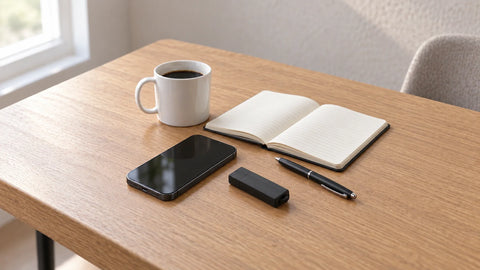
The RG50 at $99 is a working USB charger and the least expensive way in, suiting a room with a spare outlet and enough light.
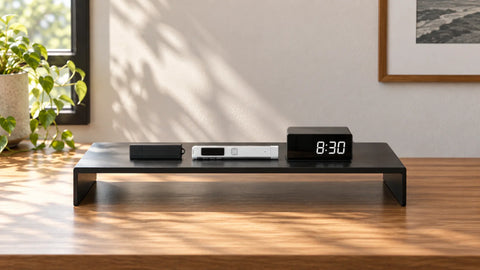
The RG80 at $139 is a charging station with three USB-A and two USB-C ports, a natural fit for the counter where a household already parks its devices.
If night vision matters, that decides it: the RG200. Otherwise pick the form that fits the surface where the camera needs to sit. All three are wireless nanny camera setups in the sense that matters to most buyers, connecting over WiFi with no cabling to run, though each needs an outlet for power. The full range is on the nanny cameras page.
When to Contact Us Before You Buy
Two questions depend on your specific room, so ask rather than guess. If the space goes dark and you are weighing the RG200 against the cheaper two, tell us the room and we will say whether its 20-foot infrared range covers it. And because the lens is a fixed 90 degrees, placement decides what the camera sees: a countertop station frames a room differently from a nightstand clock.
Our support line is answered 24/7 at (435) 383-8484, or email support@recordergear.com and a specialist replies within one business day.
Frequently Asked Questions
Do nanny cameras require a monthly subscription?
Not all of them. Cameras that record to a memory card work with no subscription. Cloud-based cameras charge monthly, typically $8 to $25.
Is 1080p enough for a nanny camera?
For nearly every indoor room, yes. Full HD resolves faces and activity clearly at normal room distances. Spend the difference on alert quality and storage that does not bill you monthly instead.
Should I tell my nanny about the camera?
Yes, and the reasoning that lands is mutual protection: a recording clears a caregiver of a false accusation as readily as it flags a problem. Check your state's law before installing.