



Key Takeaways
- For most single lectures, meetings, or short interviews, your phone's built-in recorder is enough. A dedicated recorder is a considered upgrade, not a first purchase.
- Three specific situations are what actually justify buying one: you do not want to tie up your phone during the session, the room is too large for a phone microphone, or you want a recording tool separate from your phone's battery and storage.
- Storage and battery matter on a semester or quarter scale, not a single session. A simple hours-per-week calculation tells you what you actually need.
- Where you place the recorder affects clarity more than any spec on the box.
- The FD50's 25-day voice-activation battery and 2,304-hour storage are built around exactly this kind of long-stretch, multi-session use.
Your Phone vs. a Dedicated Voice Recorder
| Your phone | A dedicated recorder like the FD50 | |
|---|---|---|
| Always in your pocket | Yes | No, it is a separate device |
| Free to use for calls and texts during the session | No, recording ties it up | Yes, your phone stays free |
| Microphone range in a large room | Limited | Built for the distance, with adjustable sensitivity |
| Storage across a full semester | Competes with photos, apps, everything else | 64GB dedicated to recordings, up to 2,304 hours |
| Battery across a long stretch of sessions | Shared with every other app | 25 days in voice activation, separate from your phone |
| Setup for a single session | Already open, no setup | One button, no menus to learn |
The Default Answer Is Your Phone, and That Is Usually Right
For a single lecture, a short meeting, or a quick interview, your phone's built-in recorder does the job. It is already in your pocket, it costs nothing extra, and most voice-memo apps handle a 50-minute class without trouble. If that describes what you need, stop reading and use your phone.
This is worth saying plainly because most buying guides in this category skip straight to product recommendations. The honest starting point is that a dedicated recorder is not a better version of your phone's recorder. It solves a different, narrower problem. Most people who search for a voice recorder do not actually need to buy one, and that is a fine outcome for a buying guide to say.
A dedicated recorder becomes worth buying when a specific situation breaks that default, not as a general upgrade.
Three Reasons People Actually Upgrade
Three situations come up most often when people explain why they upgraded: needing their phone free during the session, a room too large for a phone mic, or wanting recording storage and battery kept separate from their phone. These are not universal rules. If none of them describe you, that is useful information too.
You do not want your phone tied up during the session. Recording with your phone means it is either in your hand or set down somewhere for the whole class or meeting. You cannot check a text, silence a call, or step out without stopping the recording. A dedicated recorder handles the recording so your phone stays free for everything else.
The room is too large for a phone microphone. Phone mics are built for close-range conversation. A lecture hall or a large conference room asks for more range than that. A recorder built for this range, paired with placement near the speaker, picks up clearer audio than a phone mic straining across the room.
You want a recording tool separate from your phone's battery and storage. A semester of lecture audio, or a month of meeting recordings, competes for space with your photos, your apps, and everything else on your phone. A dedicated recorder keeps that storage and that battery drain off your phone entirely.
A fourth, smaller factor shows up often alongside these three: simplicity. A dedicated recorder is usually one button, with no menus and no notifications. Nothing else on the device is competing for your attention. That matters most when you are handing the recorder to a colleague to set on the table, or when you want zero chance of a phone call interrupting a session.
If none of these apply to you, your phone remains the right tool. If one or more do, the case for a dedicated recorder is concrete, not aspirational.
How Much Storage Do You Actually Need
Fifteen hours of lectures a week, across a 16-week semester, comes to 240 hours of audio you need to store. That is the right way to size storage: across a full term, not a single session. One widely cited buying guide walks through the same math.
The FD50 holds up to 2,304 hours on its 64GB of built-in storage. That is roughly ten semesters of lecture audio at that pace before you would need to manage files at all. For a lighter schedule, say two meetings a week across a year, the same math lands well inside that same capacity. The point is not the raw number. It is that once you calculate your own hours-per-week against a device's capacity, you know whether file management is a weekly chore or a non-issue.
Where You Place It Matters More Than Any Spec
A cheaper device placed close to the speaker produces clearer audio than an expensive one placed farther away. Proximity affects clarity more than any spec on the box. Buying guides, hands-on reviews, and university accessibility offices converge on this same practical advice. The University of Oregon's Accessible Education Center gives students the same seating advice for exactly this reason: a seat near the front, close to the instructor.
"Sit near the front of the class, close to the instructor."
Source: University of Oregon Accessible Education Center, Recording Lectures for Technology-Assisted Notetaking
This is a placement decision, not a listening-from-a-distance one. Set the recorder near where the professor or the speaker stands, the same way you would choose a seat closer to the front for better hearing. Automatic level control helps at a moderate distance by adjusting gain to how far or close a voice sits, but it does not replace good placement, and no recorder on the market publishes a genuine long-range spec worth trusting.
What About AI-Transcription Recorders?
Some of the newer devices in this category lead with automatic transcription and AI summaries instead of raw recording. That is a real feature for some buyers, and worth knowing about before you shop, since it changes both the price and the ongoing cost.
Those devices typically pair the hardware with a subscription for the transcription service itself, which turns a one-time purchase into a recurring one. If you specifically want automated notes and summaries generated from your recordings, that trade may be worth it to you. If you mainly want a reliable audio file you can review yourself, on your own schedule, a traditional recorder with no account and no subscription covers that need at a lower ongoing cost.
What the FD50 Answers Specifically
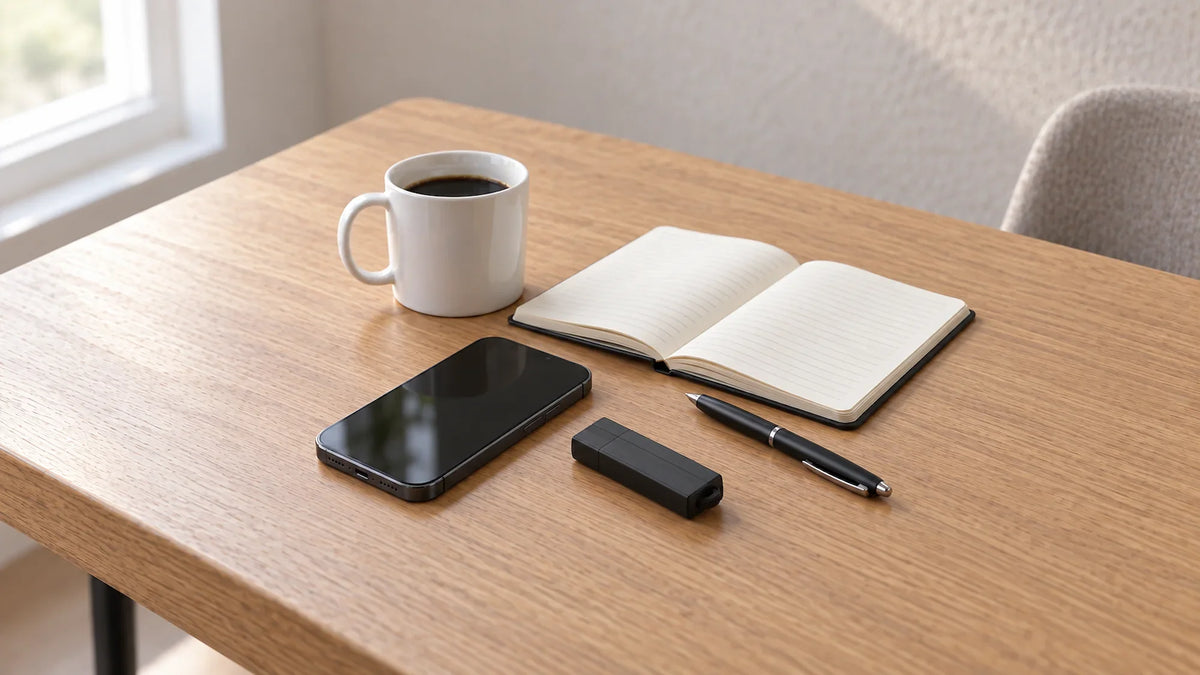
RecorderGear's FD50 is mapped against the three upgrade triggers above, and it is built around exactly this use case. Voice activation runs 25 days on a single charge, so your phone's battery is never part of the equation. Five sensitivity levels adjust the recording threshold to a quiet office or a busier lecture hall, and automatic level control keeps a distant voice as clear as a close one without you touching a setting. When you are ready to review, the FD50 plugs into any Mac or Windows computer and pulls files like a regular USB drive, no software or account required.
RecorderGear's FD50 runs 25 days on a single charge with 64GB of onboard storage, no subscription and no account required.
There is no subscription tied to any of this. The 64GB of onboard storage and the file-review process both belong to the device itself, not to a service that could raise its price or shut down later. For continuous recording beyond the 25-day voice-activation window, the FD50 also runs plugged into any USB port or adapter, which covers a full-day session or a multi-day event without watching the battery indicator.
Before You Hit Record
A quick practical note, not a legal one: check with your professor or meeting organizer before recording a class or a meeting you did not run yourself. Most instructors are fine with it once asked, and some students record under a formal accommodation through their school's disability or accessibility office rather than buying a device at all. Harvard's Disability Access Office documents how that specific accommodation path works, which is worth checking before you spend money on hardware you may not need.
If a formal accommodation applies to you, it is worth exploring first, since it may mean you do not need to buy anything at all. If it does not, or your school does not offer one, asking directly is usually a short conversation and settles the question before you record a single session. If you are recording your own phone calls rather than a class or meeting, the consent rules work differently by state; see our guide on one-party vs. all-party consent recording laws for that specific question.
Making the Call
Start with your phone. If a single session is all you need, it is genuinely the right tool, and there is no reason to buy anything else. Move to a dedicated recorder only when one of the three triggers above actually applies to your situation: your phone needs to stay free, the room outsizes a phone mic, or you want recording storage and battery off your phone entirely.
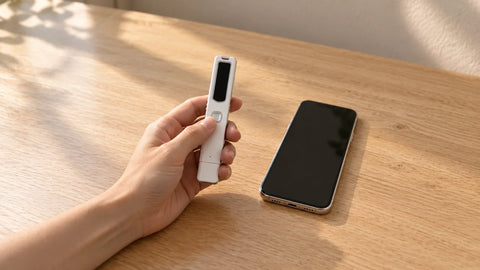
For that second case, the FD50 is built around long, multi-session use: 64GB of storage, a 25-day voice-activation battery, and file access with no software. If a pen-style form factor fits your day better, the SL100 or the VA30 cover the same core use case in a different shape. None of these devices ask for a subscription or an account, and none of them change what you already do during the session. You still choose when to start recording and when to stop.
Once you have picked a device, our USB Voice Recorder Settings Guide walks through the FD50's recording modes, sensitivity levels, and audio quality settings in more depth than fits here.
Frequently Asked Questions
Do I need a separate voice recorder, or is my phone enough?
For a single lecture or short meeting, your phone is enough. Upgrade only if you need your phone free, more mic range, or separate storage.
How much recorder storage do I need for a full semester?
Multiply your weekly recording hours by the number of weeks in your term. Fifteen hours a week across sixteen weeks comes to 240 hours, well inside a 64GB recorder's typical multi-thousand-hour capacity.
Where should I place a voice recorder for the clearest lecture audio?
As close to the speaker as you reasonably can. Proximity affects clarity more than any spec on the box, though automatic level control helps at a moderate distance.
This article discusses general recording practices for lectures, meetings, and personal documentation. Recording other people's calls involves separate consent rules that vary by state; see our guide on one-party vs. all-party consent recording laws for that specific question.