




Key Takeaways
- Recording devices split into three categories: voice recorders, phone call recorders, and cameras. Your situation decides which one you need.
- If you are capturing a meeting, lecture, or a conversation you are part of, you need a voice recorder.
- If you want a record of phone calls, you need a phone recorder built for that job, not a phone app.
- If you want to know what is happening at home while you are away, you need a camera, not an audio recorder.
- A mobile phone call recorder connects over Bluetooth; a landline call recorder plugs into the phone line itself.
What Kind Of Recording Device Are You Actually Looking For?
Recording devices are not one product. The device you need depends on what you are capturing: a conversation you are part of, a phone call, or activity in a space you are not currently in. Those are three different jobs, and they call for three different tools, not one generic gadget.
A search for "recording devices" or "recorder" often returns equipment built for musicians and podcasters, not for any of the three situations above. That is not a sign you are searching wrong. It is a sign the term covers more ground than any one category can answer.
Shoppers researching this category tend to describe their situation, not a device type, and often say outright that they do not know the right term for what they need. Starting from your situation, rather than a category name, gets you to the right answer faster, and it is the approach this guide takes below.
You Are Recording a Meeting, Lecture, or Conversation You Are Part Of
A voice recorder is built for exactly this: capturing a meeting, a lecture, an interview, a memo, or your own thoughts while you are present and participating.
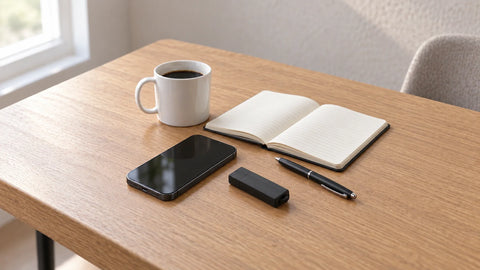
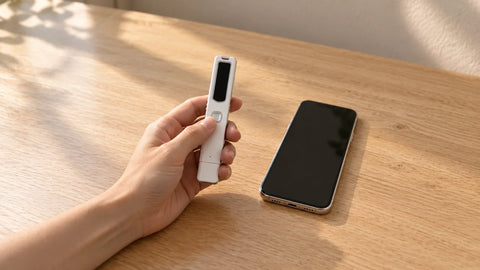
The FD50 is a USB flash-drive-sized voice recorder that holds 64GB of storage, up to 2,304 hours of audio in its highest-capacity mode. Voice activation stretches the battery to 25 days on standby, and continuous mode runs 32 hours straight when you need it. Plug it into a Mac or Windows computer and it behaves like a regular USB drive, no extra software required.
Five sensitivity levels let the FD50 adapt to the room, from a quiet office to a busier conference space, so it captures a clear recording whether you are seated next to the speaker or across the table. This is the category for hands-free note-taking, dictation, and documentation you control from start to finish. A portable voice recorder fits a pocket or a bag and is ready the moment a meeting, lecture, or interview starts.
You Want A Record Of Phone Calls
A phone call is a different job from an in-room conversation, and the right device depends on which phone line you are recording.
For mobile calls, the PR200 connects over Bluetooth and records both sides of an iPhone, Android, or basic-phone call. It stores 144 to 288 hours of audio on 8GB, depending on quality mode, and runs up to 20 hours in voice-recorder mode.
For landline calls, the TR600 connects between your phone and the wall jack and starts recording automatically the moment a call begins. It works with analog, digital, and IP (internet-based) phone lines, stores up to 1,024 hours on a 16GB card (2,048 hours on the expanded 32GB option), and runs on wall power so battery life is never a factor.
Both devices also cover meetings and memos beyond phone calls. The PR200 doubles as a plain voice recorder when you flip a switch. The TR600 becomes one when you plug an external microphone into its microphone input, so the same hardware documents an in-person conversation as easily as a call.
Both assume you are a participant on the call. Recording laws vary by state, and some require every participant's consent, so confirm what applies in your situation before you record.
Camera vs. Audio-Only: How To Tell Which One You Actually Need
If your situation is about sound, a conversation, a call, a lecture, an audio recorder answers it. If it is about seeing what happens in a space, you need a camera instead. The two are not interchangeable, even though a single search often returns both.
This distinction matters most for home awareness. If you want to know what is happening at home while you are away, the answer is a camera, not an audio recorder. Our nanny cameras send motion alerts straight to your phone, hold 1080p clarity, and include infrared night vision on select models. App access lets you check a living room, an entryway, or a driveway from anywhere. An audio-only device cannot show you any of that.
Camera placement should stay to spaces you control: a living room, an entryway, a driveway, a garage, or a nursery where you are the primary caregiver. Cameras belong in your own home, on your own property, watching the spaces you already have a reason to see.
Why Your Phone Alone Usually Is Not Enough For Calls
Native call recording exists on both platforms now, but the gaps in that coverage are exactly why a dedicated recorder still matters.
iPhone added call recording starting in iOS 18: tap a record icon, and every participant hears an announcement before the recording and its transcript save to Notes. Availability still depends on region and device. Android's Google Phone app supports recording too, but eligibility depends on phone model, Android version, carrier, and country together, so two people with the same phone can get different results. Third-party apps fill some remaining gaps, but dropped or truncated recordings are a common complaint.
A dedicated device removes that uncertainty.
RecorderGear's PR200 and TR600 exist because native phone recording still depends on region, device, carrier, and software version all lining up at once.
If you specifically searched for a solution after your phone let you down, our guide on how to record phone calls on iPhone walks through what iPhone can and cannot do on its own before you add hardware.
Matching Your Situation To The Right Device
A short recap, since the fastest way through this decision is your own situation, not a spec sheet: a conversation or a meeting you are part of calls for a voice recorder. A phone call calls for a call recorder matched to mobile or landline. Activity in a room you are not currently in calls for a camera. If your search keeps returning results that mix all three, that is the category, not your question, being too broad. Narrowing to your actual situation gets you to the right page next.
Frequently Asked Questions
Do I need a voice recorder or a phone call recorder?
A voice recorder if you are capturing an in-room conversation, meeting, or lecture. A phone call recorder if you specifically want a record of calls.
Can I just record phone calls with my phone?
Sometimes. iPhone (iOS 18 and later) and some Android phones now support it, but region, carrier, and device all have to line up, and third-party apps commonly drop recordings.
Do I need a camera or a voice recorder for home security?
A camera. Audio alone cannot show you what is happening in a room, which is the actual job a home-security situation calls for.
Still not sure which device fits your situation? Contact RecorderGear: our support line is answered 24/7, and a specialist replies to messages within one business day.